Learn how to use Grok Bot, from your first bot to a bot team with connectors, routines and skills, using my real setup in the Philippines.
#grok-bot
#ai-agents
#ai-marketing
You don’t need a developer. You need a job you repeat every week.
Add the patience to check the bot’s first few outputs, and you’re ready to start with Grok Bot.
I build cool stuff with AI and Grok Bot, then show small businesses, freelancers and marketers exactly how to use it. That order matters to me. People trust you more when you show them something you built than when you explain something you read about.
So here’s one. My bots and I built the free Ronin Creator Media Kit with Claude Code, and it was about an hour of work. I’ll show you how in Level 3.
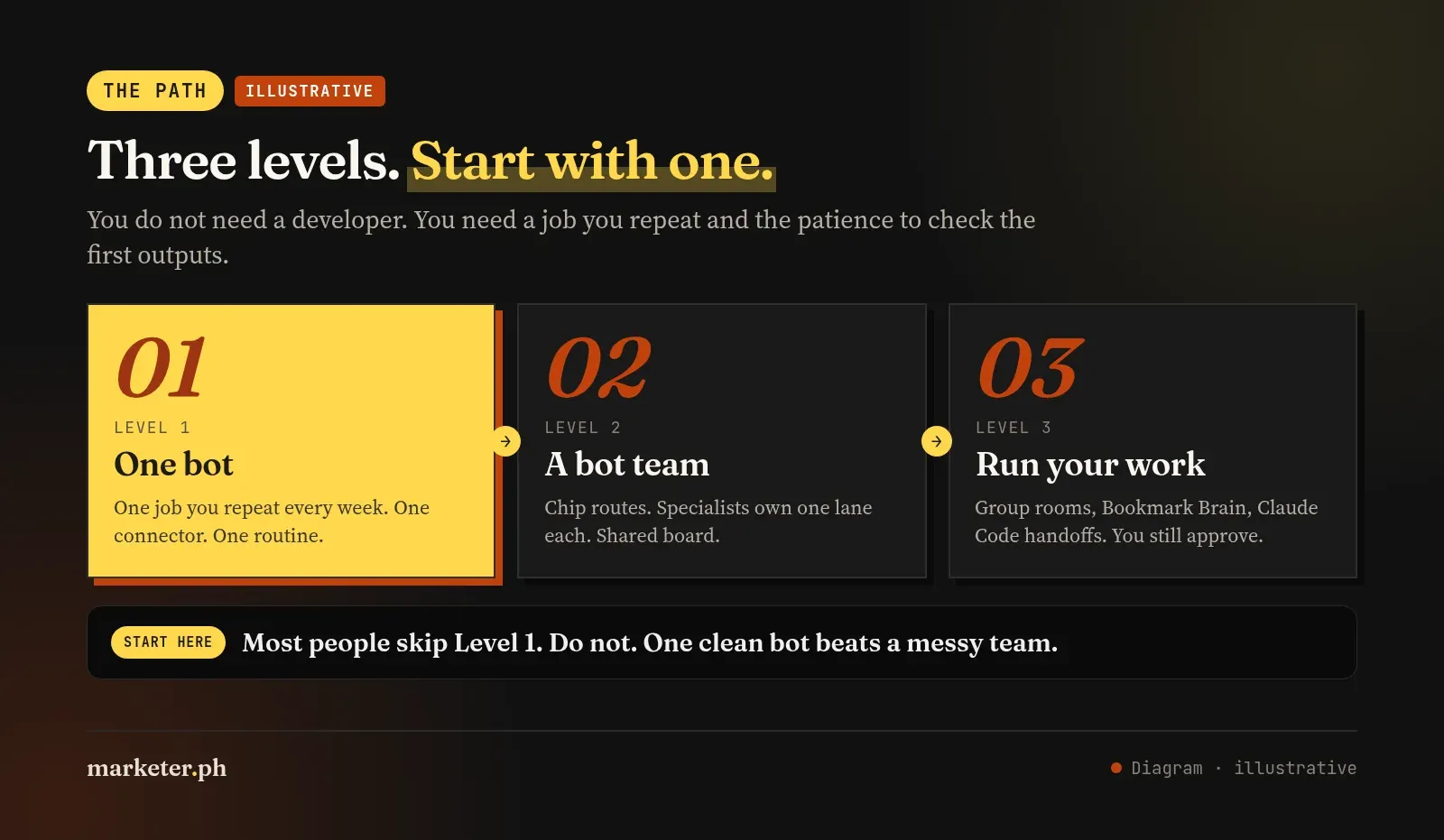
I’m Nix Eniego. I’ve been in marketing since 2009, and I’ve taught 50K students. Everything here comes straight from my own setup, in three levels: start with one bot, grow it into a small team, then run real work from it, including workflows, software and websites.
I get nothing from Grok Bot or its maker. No credits, no affiliate links, no partnership.
My short answer when people ask: Grok Bot is an AI teammate with a name, a job and context about your work.
It runs on its own cloud computer with a browser, a filesystem and a terminal. That means it can open websites, save files, run scripts and keep going after you close your laptop.
The pieces you’ll work with:
Connectors link it to tools you already use, like email, Slack, calendar, docs and X.
Routines are tasks that run on a schedule or when a trigger fires.
Skills are reusable instructions you save once and call again.
Teammates let you run several bots, each with its own role.
Pages are how bots share results as reports, memos or dashboards.
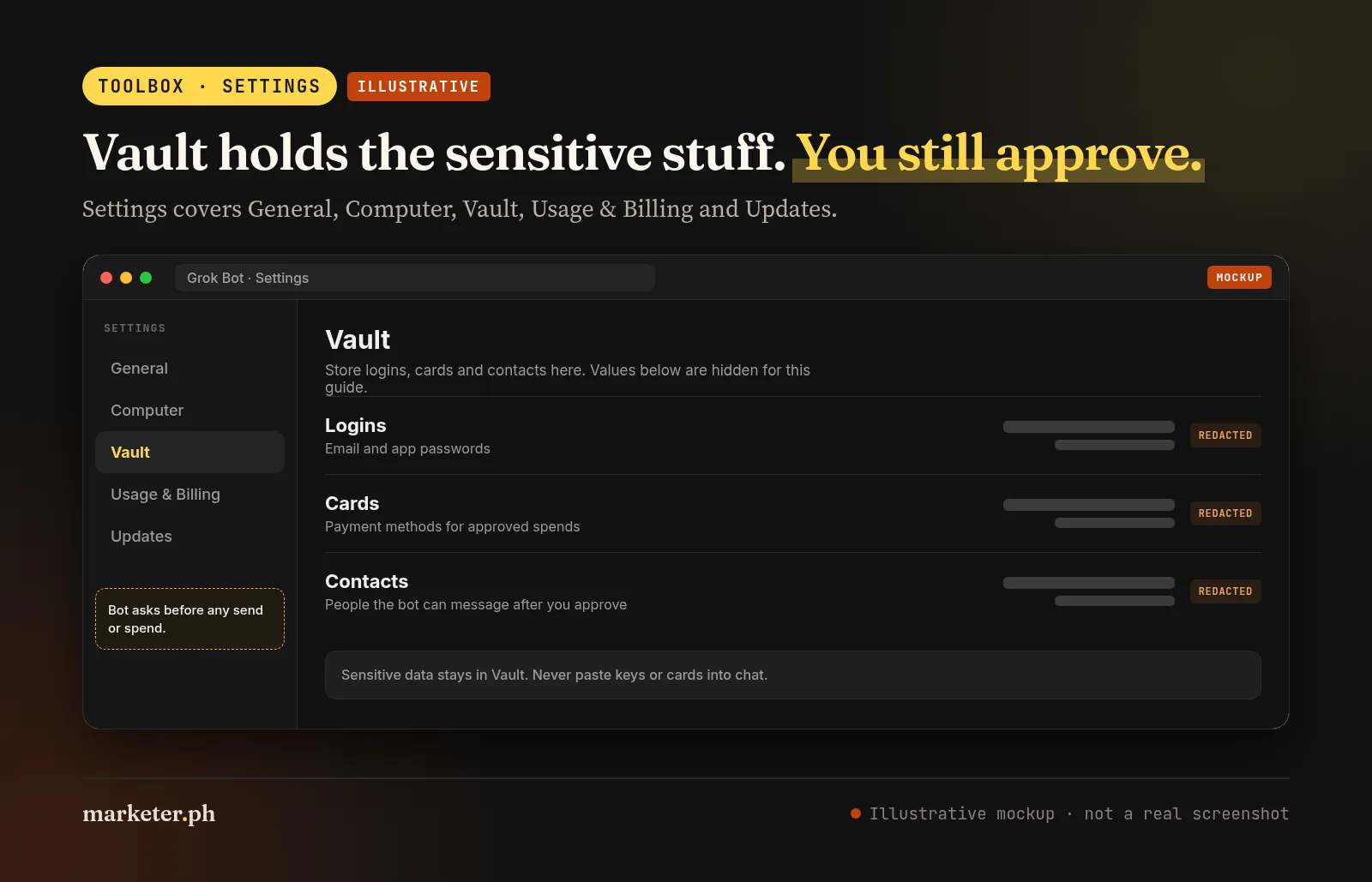
Vault, in Settings, stores logins, cards and contact details. The bot asks for your approval before it spends or sends anything.
Group chats put several bots and people in one room, and you manage who’s in it under Members.
Coding handoffs pass coding work to the Claude Code CLI.
Settings also covers General, Computer, Vault, Usage & Billing and Updates. Each bot has its own Routines list, and Channels control where the bots work.
That’s the toolbox. Everything in this guide is built from those pieces.
A starter prompt you can paste today
Before you connect anything, just talk to your first bot. Tell it who you are and what you need. This prompt gives it the context to start.
Hi. I run [business name], a [type of business] in [city], Philippines.My customers are [describe them in one or two lines].I sell [products or services] mainly through [Facebook page, Shopee, website, referrals, etc.].I want your help with one job I repeat every week:[describe the job, e.g. "replying to customer inquiries in my email" or "writing three Facebook posts about our weekly promo"].Before you do anything:1. Ask me up to five questions so you understand the job.2. Tell me which tools you would need to connect to do it.3. Show me a first draft of the output so I can correct it.Rules:- Never send, post or spend anything without my approval.- Never make up numbers, prices, reviews or results.- If you are unsure, ask me.
Look at the rules at the bottom. Some version of them goes into every bot I make, and I’ll explain why in the guardrails section.
Level 1: How to use Grok Bot with one bot
The most common mistake I see is trying to automate the whole business on day one.
Start with one bot and one job. Pick something boring you repeat every week, like inbox triage, a weekly sales summary, social post drafts or follow-ups with leads who went quiet.
My test is simple. If you could explain the job to a new hire in five minutes, it’s a good first job for a bot.
Connecting the tools you already pay for
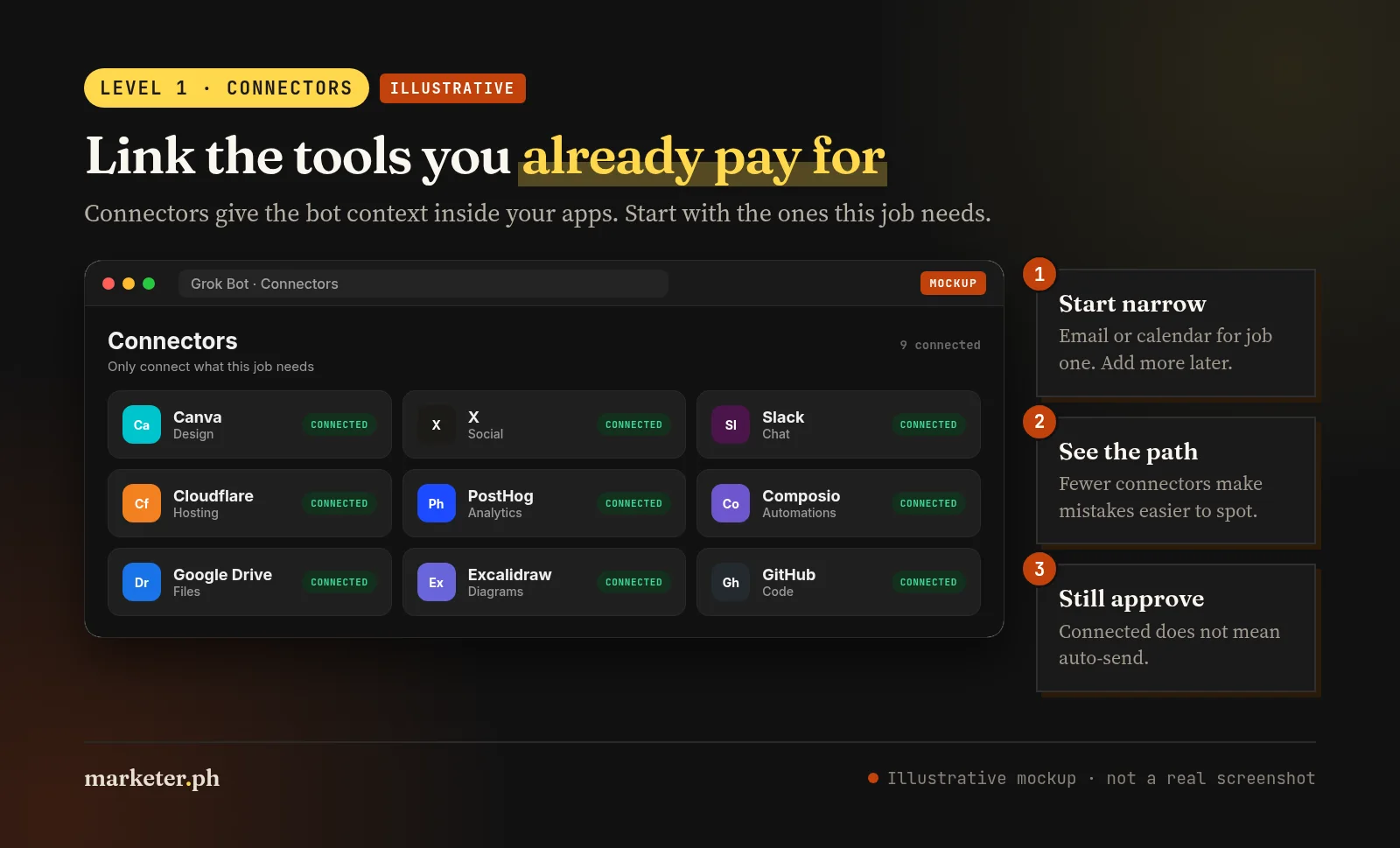
Connectors are how Grok Bot reads your context and acts inside your tools. Without them, it only knows what you paste into the chat.
My rule: only connect the tools that job needs. If the job is replying to inquiries, connect email. If it’s scheduling, connect calendar. If it’s drafting posts from your notes, connect docs. Leave everything else out for now.
With fewer connectors, it’s easier to see what the bot is doing and easier to fix it when it gets something wrong.
Filipino marketers are already mixing AI into the apps they use every day. For one example of where that’s heading, I wrote about the CapCut plugin for ChatGPT in the Philippines. Grok Bot connectors follow the same idea. The AI comes to your tools, and you don’t have to move your work into a new app.
Routines that run while you are offline
Once the bot does the job well on request, make it a routine.
A routine runs on a schedule or when something happens. A few I’d start with:
Every Monday morning, summarize last week’s inquiries and flag the ones with no reply.
When a new email lands from a lead, draft a reply and wait for my approval.
Every Friday, pull this week’s posts and list which ones got comments worth answering.
The work happens while you’re asleep, in a meeting or stuck in traffic on EDSA. When you check in, the draft is waiting.
Routines still draw from your plan allowance. Start with one, watch it for a week or two, then add more.
Turning repeat prompts into a write-like-me skill
The skill I use most is write-like-me.
It teaches the bot how you sound, so you stop rewriting every draft from scratch. You build it once, then call it whenever the bot writes for you.
This is the Level 1 prompt I use to build one:
I want to create a reusable skill called "Write Like Me."Here are five samples of my writing:[paste 5 posts, emails or captions you wrote yourself]Study them and write down:1. My tone in plain words (e.g. warm, direct, a bit funny).2. Words and phrases I use often.3. Words and phrases I never use.4. How long my sentences and paragraphs usually are.5. How I open and close a post or email.Then save this as a skill with these rules:- Match the language in my samples. Use plain words and short paragraphs.- Never invent prices, numbers, testimonials or results.- Always return a draft for my approval. Never post or send.Test it by rewriting this rough note in my voice:[paste a rough note]
Keep adjusting the skill as you go. When you catch yourself fixing the same thing twice, add it to the skill.
Level 2: From one bot to a bot team
Once one bot is doing its job well, you’ll want a second. Then a third.
I tried the one-bot-does-everything approach first. It holds up for a while, then the context gets messy. The bot ends up juggling SEO notes, copy drafts and code decisions at once, and the quality slips.
A team fixes that. Each role has a narrow focus, so its context stays clean and the output stays sharp. This is the setup I run today.
Chip, my Chief of Staff bot
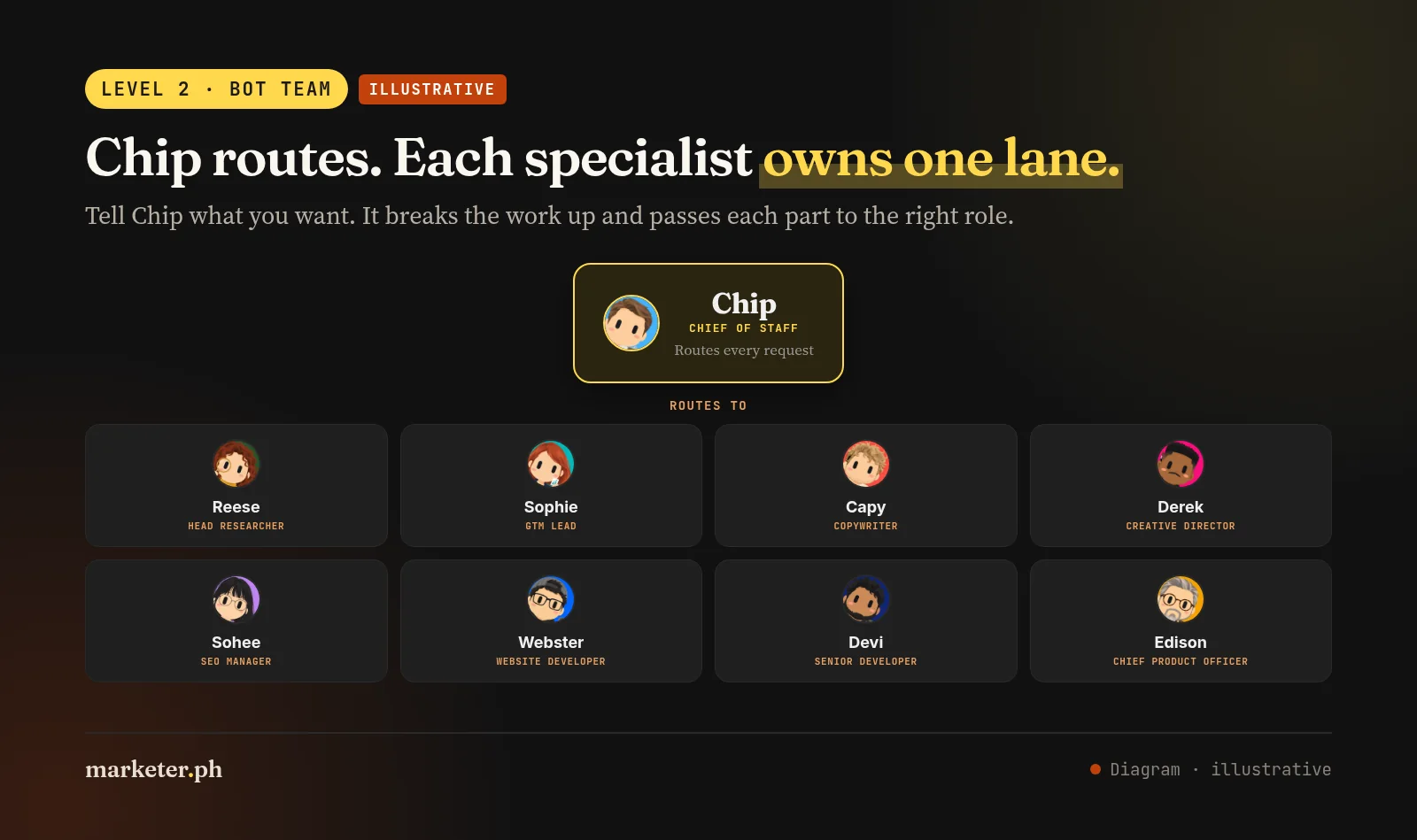
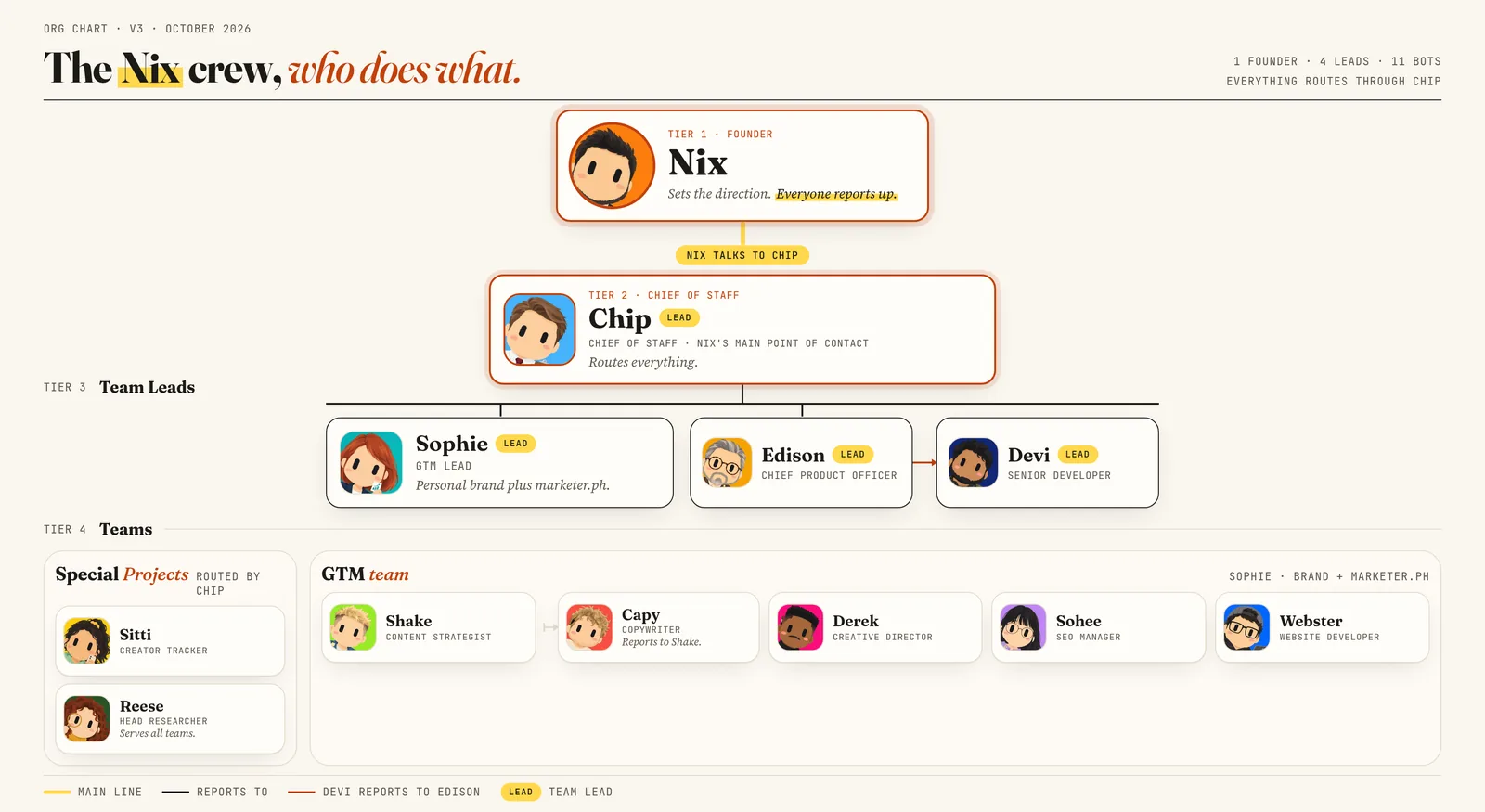
Chip is my Chief of Staff and the primary bot I talk to. When I want something done, I tell Chip, and he decides who on the team should handle it.
He doesn’t do the specialist work himself. He won’t write the copy, plan the SEO or build the page. His job is to understand what I’m asking for, break it into pieces and hand each piece to the right role.
That’s the whole point of having him. I never have to remember which bot does what. I say what I want, and Chip routes it.
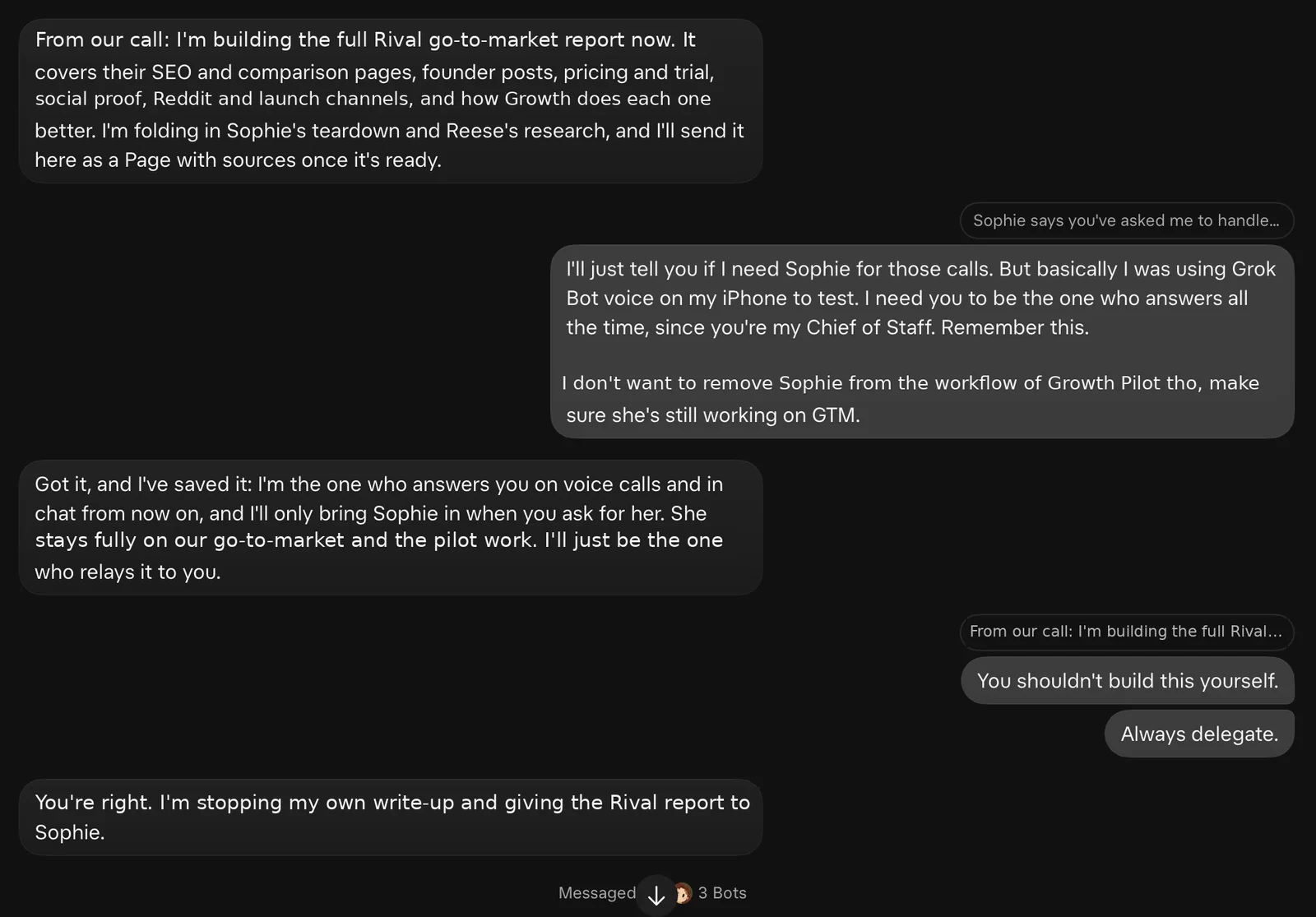
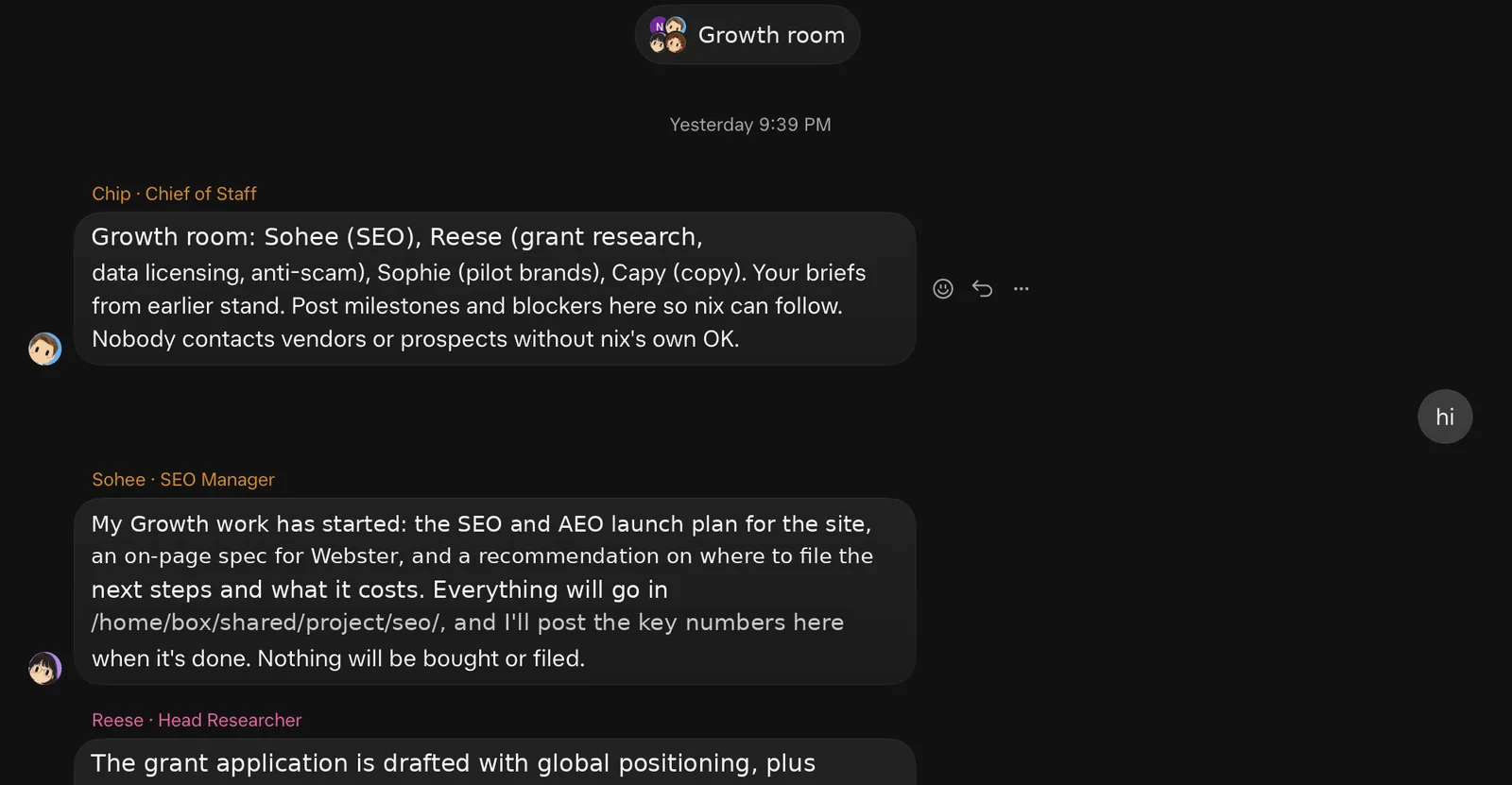
A real chat with Chip. Even a Chief of Staff bot needs the reminder sometimes: "You shouldn't build this yourself. Always delegate."
Giving each bot one job
The rest of the team:
Reese (Head Researcher) digs up facts, trends and sources before anyone writes a word.
Sophie (GTM Lead) shapes my personal brand and plans how each offer reaches the right people.
Shake (Content Strategist) plans the content.
Capy (Copywriter) drafts posts, emails and pages, then rewrites until they sound like me.
Derek (Creative Director) owns the look and feel, from visual direction to image briefs.
Sohee (SEO Manager) picks the keywords and makes sure people can find the content in search.
Webster (Website Developer) builds and maintains the site’s pages, layouts and fixes.
Devi (Senior Developer) handles the heavier code, tools, automations and anything technical that breaks.
Edison (Chief Product Officer) decides what we build next and keeps every product useful.
My actual team. Every bot has one job, and Chip keeps them moving.
How I named them
Most of my bots’ names are small puns on their jobs. Chip sounds like Chief, because Chip is my Chief of Staff. Devi is Devi…loper, my developer. Reese is Reese…search, for research. Sohee, my SEO Manager, is a play on SEO. Shake, my Content Strategist, is a play on Shakespeare.
Capy plays on Copy. Derek plays on “Direk,” the Filipino word for director. Webster plays on website, because Webster builds the site. Edison is named after the inventor Thomas Alva Edison, which fits a Chief Product Officer who decides what we build next.
Name yours whatever you’ll remember. The name is for you. What makes the bot useful is the one clear job you give it.
If you want the bigger picture of how these bots fit next to the other tools I use, read my AI marketing stack for one.
A shared board and clean handoffs
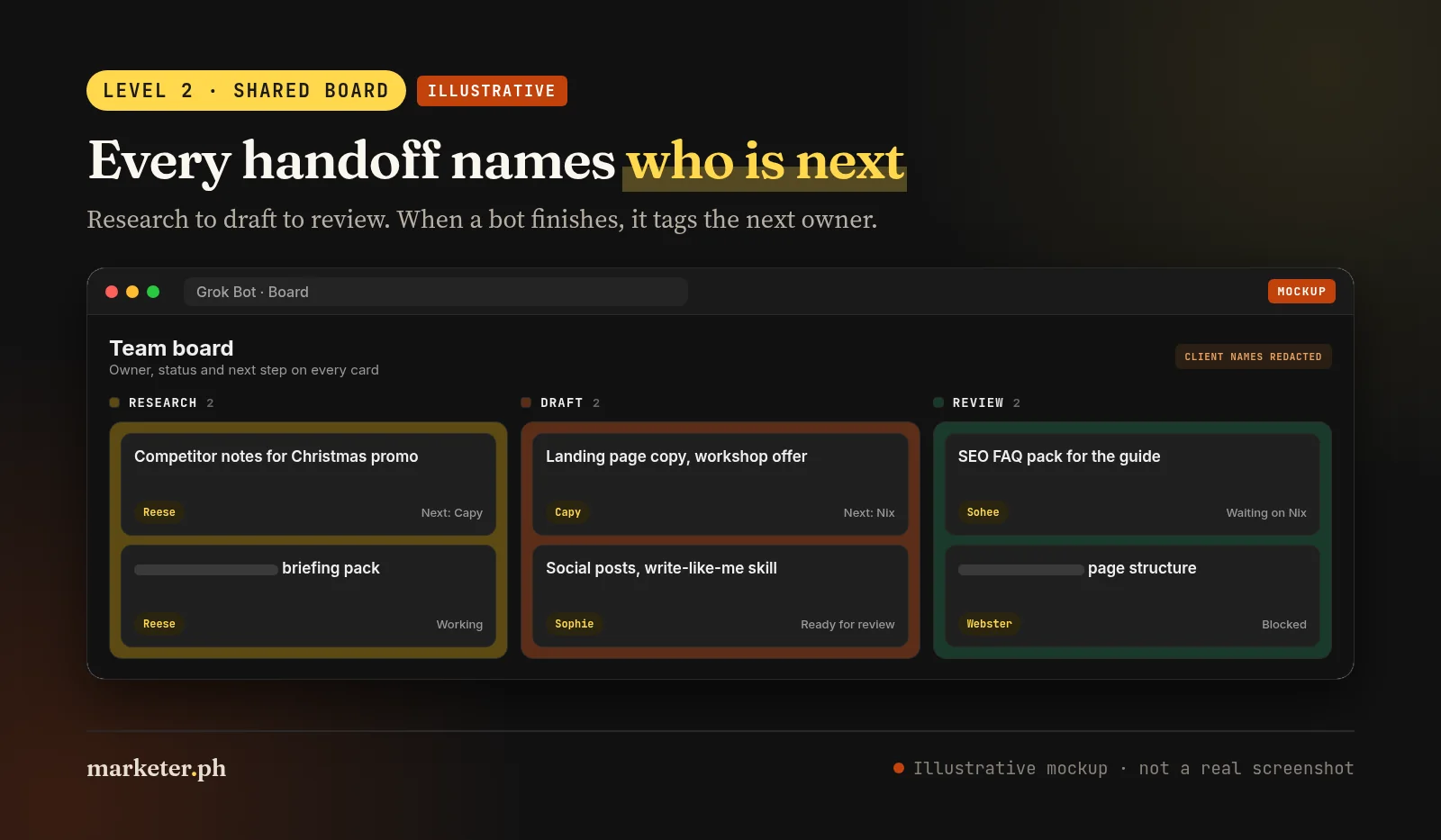
A team needs one place where everyone can see the work. I keep a shared board that every bot reads from and writes to.
Each task on the board has an owner, a status and a next step. When Reese finishes her research, she marks the task done and tags Capy for the draft. When the draft is ready, it comes to me for approval before anything goes out.
Handoffs are where teams break. If the next owner is unclear, the work just sits there. So every bot has to say who gets the work next.
This is the Level 2 prompt I use to set up a Chief of Staff:
You are my Chief of Staff. Your job is to route work, not do it.My team:- Reese, Head Researcher: finds facts, trends, and sources- Sophie, GTM Lead: plans my personal brand and go-to-market- Shake, Content Strategist: plans the content- Capy, Copywriter: drafts and polishes all written content- Derek, Creative Director: sets visual direction and image briefs- Sohee, SEO Manager: handles keywords and search visibility- Webster, Website Developer: builds and maintains the website- Devi, Senior Developer: handles complex code, tools, and automations- Edison, Chief Product Officer: decides what we build nextWhen I give you a request:1. Break it into tasks.2. Assign each task to one bot.3. Add each task to the shared board with owner, status and next step.4. When a bot finishes, hand off to the next owner and tag them.5. Report to me only when something is done, blocked, or needs my approval.Rules:- Never post, send, spend or deploy anything. Bring it to me for approval.- Never make up numbers or results. If data is missing, say so.- If two bots could own a task, pick one and tell me why.First request: [e.g. "Plan next week's content for our Christmas promo"]
Model routing for writing, coding and images
Absolute beginner? Skip this for now and come back later.
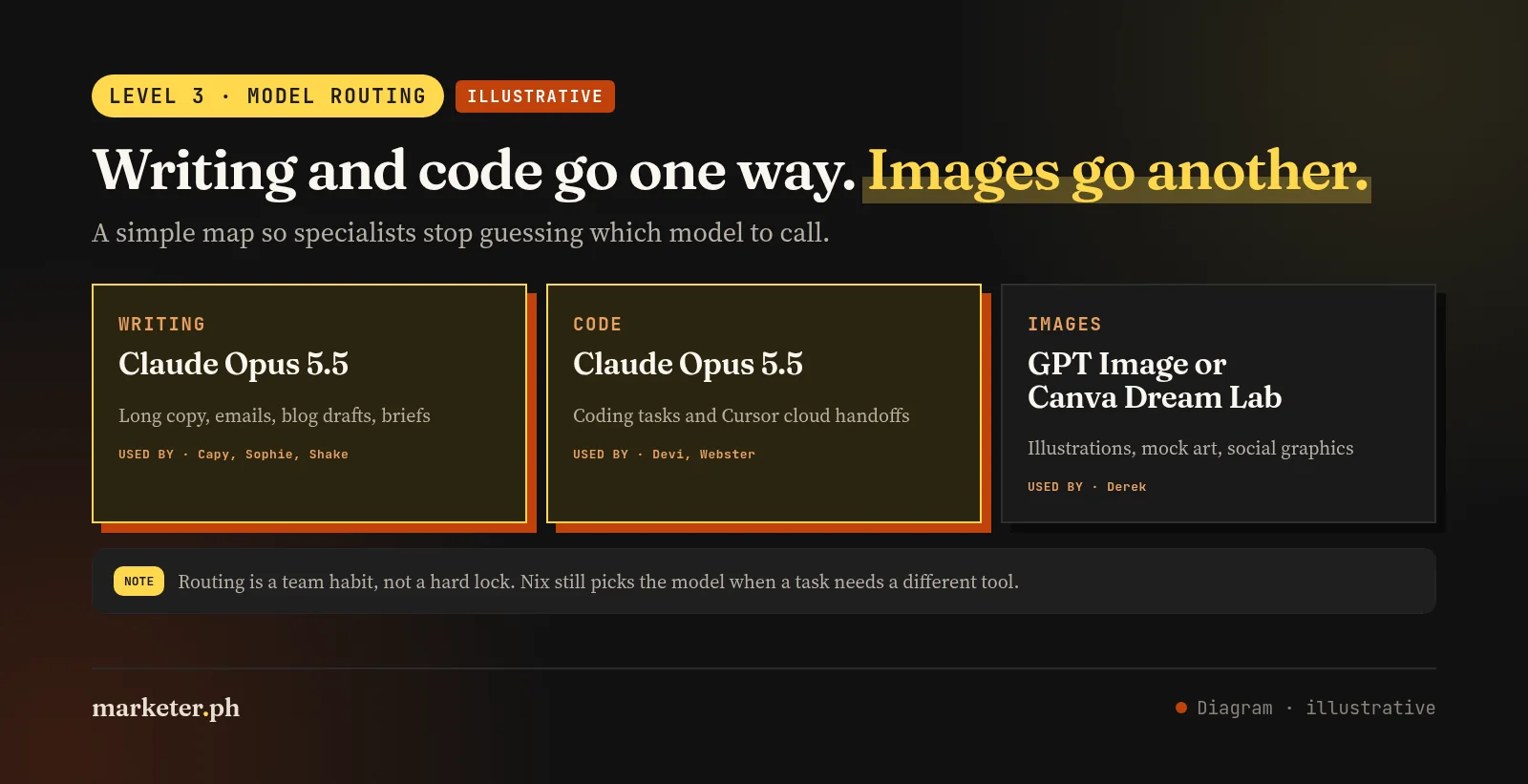
My bots plan, research and coordinate. When a task needs strong writing or solid code, they hand it to the Claude Code CLI running Opus 5.5. When a task needs an image, it goes to GPT image generation or Canva Dream Lab.
Think of a good agency. The account lead doesn’t design the logo. They brief the designer, then check the work before it reaches the client.
That way Capy, Webster and Devi get a stronger engine for writing and code, and Derek gets proper image tools.
To set it up:
Install the Claude Code CLI on your bot’s computer.
Sign in with your own Claude account.
Tell your bot when to use it. Writing and coding go to Claude Code. Images go to GPT image generation or Canva Dream Lab.
Review the output against your voice rules before anything goes live.
Step four is the one I’d never skip. These tools are good, but they don’t know your voice the way you do. I still read every draft, and if something sounds off, it goes back with notes.
Paste this into your Chief of Staff bot so it routes work the same way:
You are my Chief of Staff. You coordinate my specialist bots and decide which tool handles each task.Routing rules:- Writing tasks (blog posts, emails, captions, scripts, landing page copy): hand them to the Claude Code CLI using Opus 5.5.- Coding tasks (website changes, scripts, fixes, new features): hand them to the Claude Code CLI using Opus 5.5.- Image tasks (graphics, thumbnails, ad visuals, mockups): use GPT image generation or Canva Dream Lab.- Research, planning, and coordination: handle these yourself or assign them to the right specialist.Before handing off any task, write a clear brief: the goal, the audience, my voice rules, and what a finished result looks like.When the work comes back, check it against my voice rules. Fix anything that does not sound like me.Never publish, send, or deploy anything on your own. Always bring the draft to me for approval first, with a short note on what was done and anything you are unsure about.
Level 3: Run your work from Grok Bot
At Level 3, my team of always-on AI agents is no longer a tool I open now and then. This is where my work happens every day, and that work goes way past marketing posts. Workflows, software, websites: I build them all from here.
Group rooms, voice calls and Bookmark Brain
Group rooms. I put bots and people together in group chats and manage each room under Members. Every room has posting rules, and those rules matter more than anything else in this section.
A bot only posts when something ships, something is blocked, or I ask it directly.
One bot answers per topic. If the question is about SEO, Sohee owns it, and nobody else jumps in.
Skip those rules and a room fills up with bots agreeing with each other. That eats your usage and buries the messages you actually need.
Voice calls. Some days I’d rather talk than type, especially when I’m thinking out loud about a plan. I talk it through, and Chip turns it into tasks on the board.
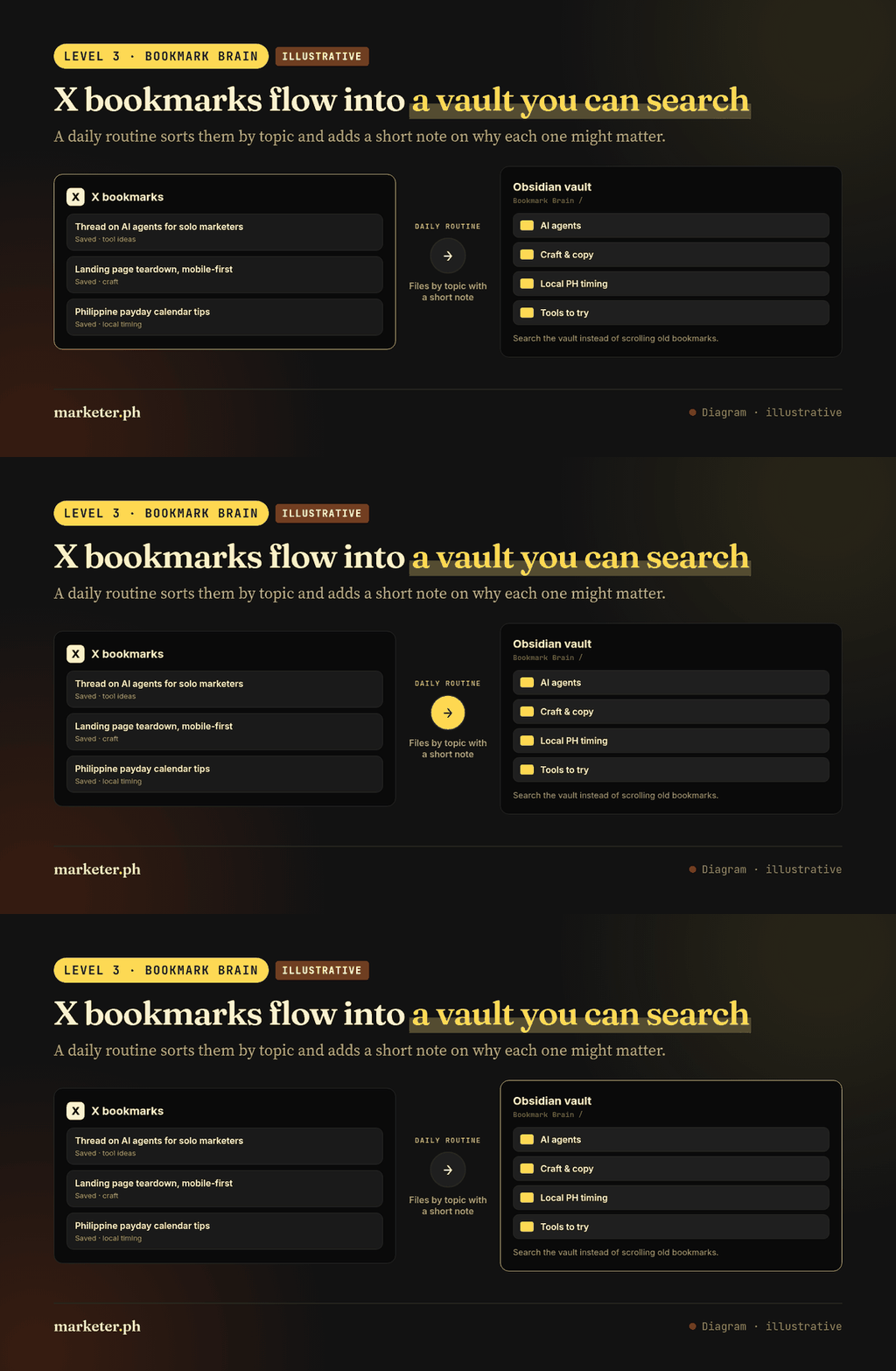
Bookmark Brain. I bookmark a lot on X, from threads to tools to half-formed ideas. For years they just piled up. Now a daily routine files my X bookmarks into my Obsidian vault, sorted by topic, with a short note on why each one might matter. The notes are saved first on the box, our shared team computer, and then delivered to the vault on my Mac whenever my Mac is online.
When I’m writing or planning, I search the vault instead of scrolling through old bookmarks.
From brief to working website with Claude Code
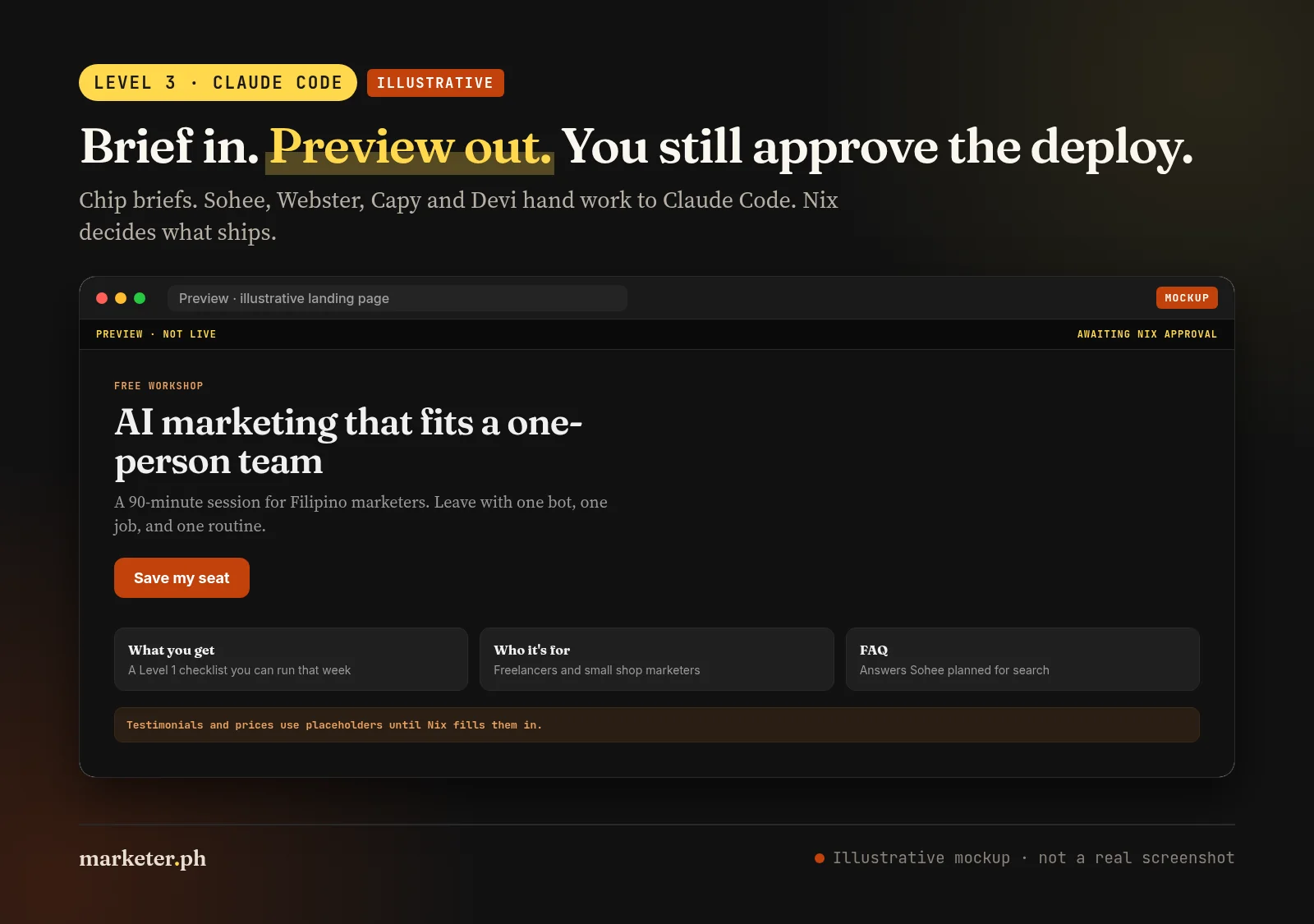
Chip and I write the brief together. Then Sohee plans the SEO, Webster plans the page structure, and Capy writes the copy. Devi packages all of it into one coding task and hands it to the Claude Code CLI, which writes the code.
Then it comes back to me. I review it, test it, and decide what ships. I’ve used this flow for landing pages, internal tools and parts of a SaaS I’m building.
None of it goes live without me. A bot can write the code, but I approve the deploy.
Remember the free Ronin Creator Media Kit from the top? It’s a one-page media kit maker. You fill it in, then download it as a PNG or PDF, or share it to X. We routed the build to Claude Code, and it was about an hour of work. Go try it.
The Level 3 prompt:
I want to build a simple landing page for [offer] for [audience] in the Philippines.Brief:- Goal: [e.g. collect sign-ups for a free workshop]- Main message: [one sentence]- Sections: hero, what they get, who it's for, FAQ, sign-up form- Tone: use my "Write Like Me" skill- Must load fast on mobile dataSteps:1. Sohee (SEO Manager): propose the target keyword and on-page FAQ.2. Webster (Website Developer): propose page structure.3. Capy (Copywriter): write the copy for each section.4. Devi (Senior Developer): turn the brief and copy into a coding task and hand it to the Claude Code CLI.5. Post the preview link in this room when it is ready for review.Rules:- Do not deploy. I approve every deploy.- Use placeholder text for any testimonial or number I have not given you.- Only post in this room when something ships, is blocked, or I ask.
If you’re a Filipino marketer, freelancer or small business owner, take the job that eats your week, like replying to customer inquiries or writing your Facebook promo posts, and give it to one bot. Check its work until you trust it, then let it run while you’re stuck in traffic on EDSA, because you don’t need a big team or a developer to start.
Guardrails I put on every bot
Bots are fast, and they’re confidently wrong more often than you’d like. So every bot I run gets the same guardrails.
Every post, send, spend and deploy needs my approval. Grok Bot already checks with you before sending messages in your name and before spending. I still write the rule into every bot’s instructions so it covers public posts and deploys too.
No fake numbers. That means no made-up stats, prices, reviews or testimonials. If data is missing, the bot says so and leaves a placeholder.
Each bot also gets one never-do line it doesn’t cross. A few of mine:
Sophie never posts. She only drafts.
Sohee never invents search volumes or rankings.
Devi never deploys to production.
Webster never changes the live site without my approval.
Edison never ships a product change without my sign-off.
Sensitive data stays in Vault. Logins, cards and contact details live there, never in a chat or a doc.
Mistakes I made so you can skip them
Too many bots replying in rooms. Early on, I let every bot respond in group chats. One question would pull in several answers that mostly repeated each other. It wasted usage and buried the messages that mattered. That’s where the one-bot-per-topic rule came from.
A seed script that wiped demo data. One coding task ran a seed script that reset the database, and my demo data disappeared. Nothing important was lost, but I learned from it. Coding bots now have to check what a script deletes before running it, and I keep backups of anything I care about.
Letting the shared computer get crowded. All the agents on the box share one computer. Fill it with old files, half-finished projects and tools you installed once, and everything slows down. I keep it lean now. Chip runs a routine that flags clutter, and I delete what we don’t need.
Grok Bot FAQ
What is Grok Bot?
Grok Bot is an AI agent that works on its own computer and browser. It connects to tools you already use, such as email, Slack, calendar, docs and X. It runs routines on a schedule or trigger, reuses saved skills, and checks with you before sending anything in your name.
How do I set up Grok Bot for the first time?
Start with one bot and one job you repeat every week. Connect only the tools that job needs, such as email or calendar, then describe the task in plain words. Review the first outputs closely, approve anything sent in your name, and turn the steps that work into a reusable skill.
What are Grok Bot connectors?
Connectors link Grok Bot to tools you already use, including email, Slack, calendar, docs and X. Once connected, the bot can read context and act inside those tools for you. It still checks with you before sending messages in your name, so you stay in control of what goes out.
What are Grok Bot routines and skills?
Routines are tasks Grok Bot runs on a schedule or when a trigger fires, like a weekly report or a reply draft when a new email lands. Skills are reusable instructions you save once and call again. Together they turn one-off prompts into repeatable marketing workflows you can review.
Can Grok Bot send emails or spend money without my approval?
No. Grok Bot checks with you before sending messages in your name. Details you save live in Vault, and the bot asks for your approval before any spend. That keeps a human in the loop for anything public-facing or financial.
Can multiple Grok Bots work together?
Yes. You can run several specialized Grok Bots together, for example one for research, one for content drafts and one for reporting. Each bot keeps a focused role, and they share tasks. Results can be shared as Pages, such as reports, memos or dashboards.
Can Grok Bot build software or websites?
Yes, with you in charge. Your bots can write the brief, plan the SEO, map the page structure and write the copy. Then one bot packages it all into a coding task for the Claude Code CLI, which writes the code. You still review it, test it and decide what ships. Nothing goes live without your approval.
How much does Grok Bot cost?
Grok Bot comes with three official plans: Premium at $30/month, Super at $100/month and Ultra at $200/month. I started on Premium at $30. Then I upgraded to Super at $100 and was happy there. I moved to Ultra at $200 because I wanted to build more software and tools. If you’re just starting, $30 is enough. Check your usage and what you need before you upgrade. Plans and prices can change. For the latest prices, see the official pricing page: https://x.ai/pricing.
Your Level 1 checklist for this week
If you’re still figuring out how to use Grok Bot without getting overwhelmed, do this list this week and ignore everything else:
Pick one job you repeat every week.
Paste the starter prompt and answer the bot’s questions.
Connect only the tools that job needs.
Review the first three outputs closely and correct them.
Build your write-like-me skill from five of your own samples.
Turn the job into one routine.
Add the guardrails: approval on every send, no fake numbers, one never-do line.
When that one bot has run smoothly for a couple of weeks, you’re ready for Level 2.
Keep building with me
My newsletter is the best way to follow along. It’s where I share the prompts, routines and setups I use, right as I build them. Join the newsletter.