
Discord Is Coming to Google Search. Is It Free Visibility for Brands?
From mid-December, public Discord messages can show up in Google Search. What it means for brands and marketers, and how to plan for it.
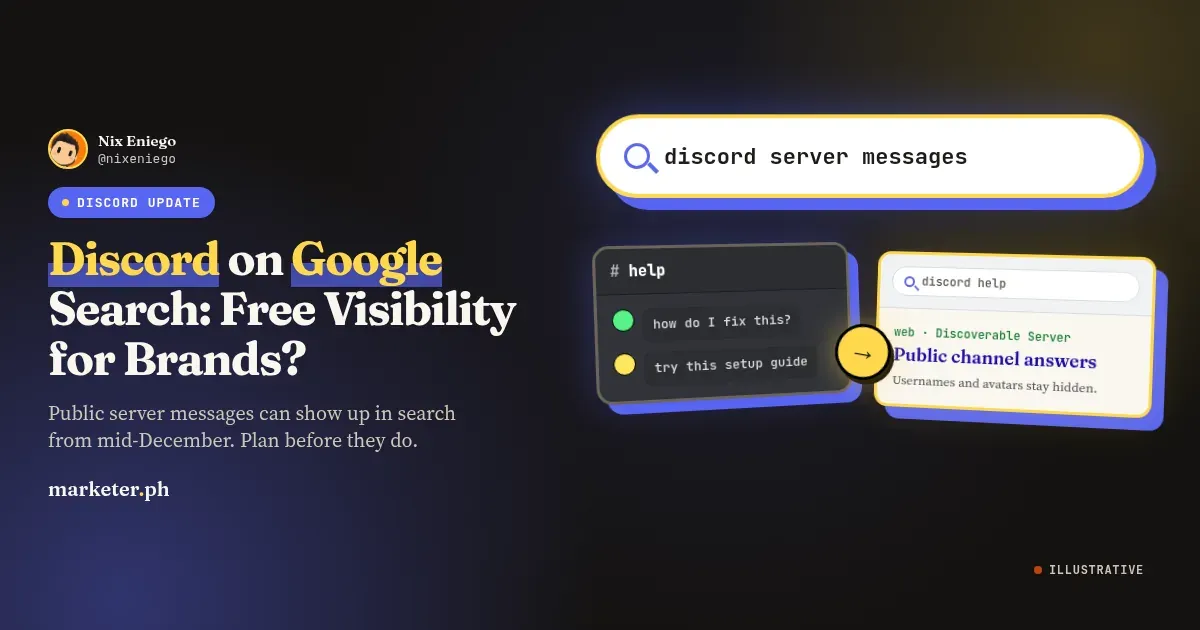
That Discord chat you thought only your members could read may soon show up on Google.
Quick summary
- What changes: Discoverable Servers get a public Server Web Page that can show up in search engines like Google, and some messages from their public channels can appear in web search.
- When: Server Web Pages start on November 16. Channel Messages can start appearing in web search from mid-December, with a gradual rollout.
- How to opt out: Admins use Server Settings > Community > Web Presence. Members use User Settings > Data and Privacy > Channel Messages.
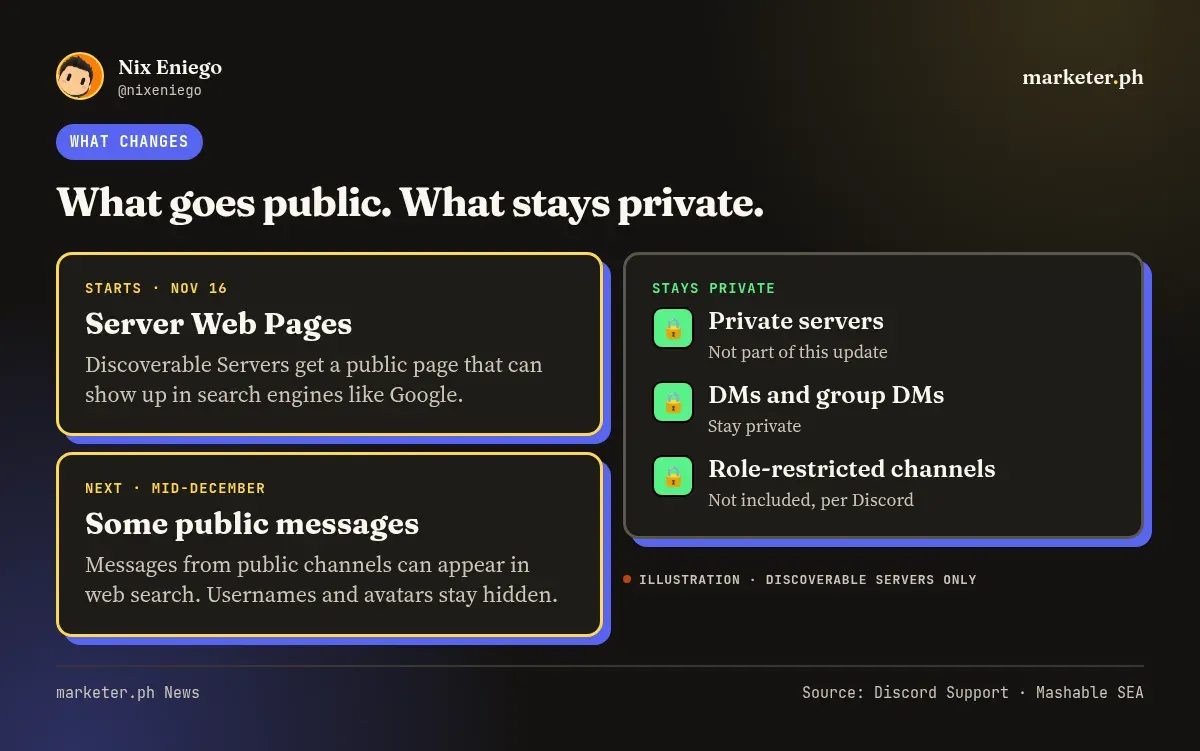
On November 16, Discord starts giving every Discoverable Server a Server Web Page. Anyone can view it without a Discord account, it can show up in search engines like Google, and new members can join straight from it. From mid-December, some messages from public channels in those servers can also appear in web search. Discord says the rollout will be gradual.
If you run a Filipino community on Discord, this affects you. That includes gaming guilds, brand communities, creator fan servers and study groups. Here’s what Discord messages on Google Search will look like, how to opt out of Discord Web Presence, and what I would do about it.
What Discord is changing on November 16
The update covers Discoverable Servers only. According to Mashable SEA, there are about 63,000 of them.
For those servers, three things change:
- Server Web Page. From November 16, each Discoverable Server gets a public page. If you don’t set one up, Discord publishes a default page based on your Server Profile.
- Channel Summaries. Also from November 16, automated summaries of public channels can appear on that page.
- Channel Messages. From mid-December, answers that members posted to questions in public channels can appear in web search, in the members’ own words. Usernames and avatars are not shown.
Both features are on by default for public channels. Admins can choose which channels take part, or opt out, in Server Settings > Community > Web Presence. Only the owner or someone with Administrator permission can change it, and only on desktop or in a browser.
Members also get a say. Each user controls their own messages through User Settings > Data and Privacy > Channel Messages. One setting covers all Discoverable Servers. Turning it off only stops new messages from being included. Messages you sent while it was on can still appear, so to remove one, you have to delete it.
Participating channels show an icon in the channel header. Private channels, role-restricted channels, private servers, DMs and group DMs aren’t included, according to Discord.
Free search visibility for communities, if you plan for it
I see this as a real opportunity for community builders.
Most Discord conversations are invisible to anyone outside the server. A great answer from a moderator, a helpful tutorial thread, a product FAQ: all of it sits behind a join button. Now some of it could be found by people searching on Google.
For a brand or creator, that is search visibility you don’t pay for. Someone searching for a fix, a tip or a product question could land on your community’s conversation and decide to join.
This only works if you plan for it. A public channel full of memes, off-topic banter and half answers won’t help your brand when it shows up in search. A clean, well-organized help channel will.
A privacy wake-up for Discord members
Many members treat community servers like a semi-private space. Once messages can appear on the open web, that assumption no longer holds.
Discord hides usernames and avatars, but your words still show. A detailed story can point to you even without your name on it.
My rule from here on: treat public channels like public posts. If you wouldn’t post it on a public Facebook page, don’t type it in a public channel of a Discoverable Server.
That means no phone numbers, no home addresses, no screenshots of private chats, and no details about your work or clients that you wouldn’t want a stranger to read.
What I’d do if I ran a Discord server
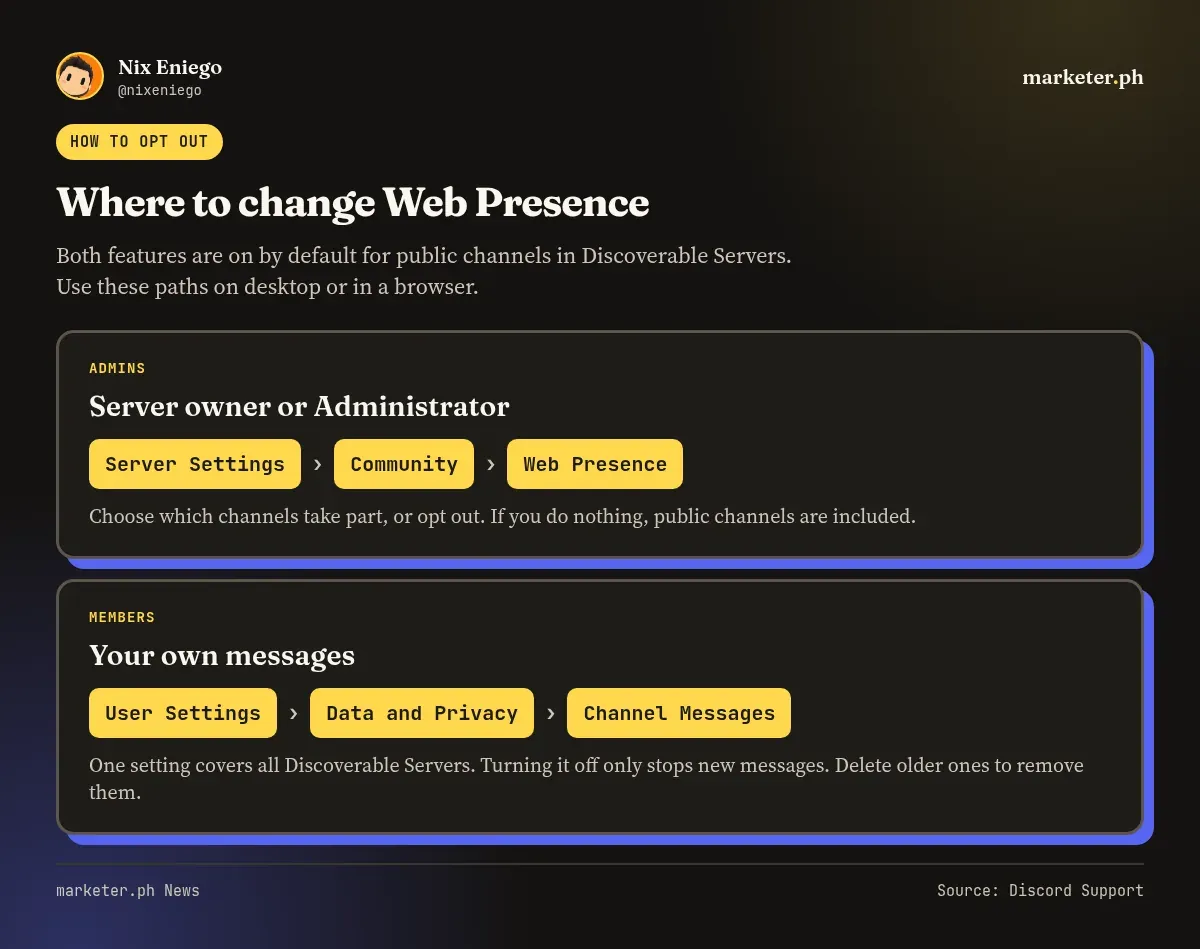
Here’s my checklist for admins before mid-December.
- Check if your server is Discoverable. If it isn’t, this update doesn’t apply. If it is, keep going.
- Decide on purpose, not by default. On desktop or in a browser, open Server Settings > Community > Web Presence and choose which channels to include, or opt out. If you do nothing, your public channels are in.
- Audit your public channels. For each one, ask: would I be okay seeing this in Google? Move sensitive discussions to private or role-restricted channels.
- Tell your members. Post an announcement explaining the change. Point them to User Settings > Data and Privacy > Channel Messages, and remind them that turning it off doesn’t remove older messages.
- Update your server rules. Add a line reminding everyone that public channels may be visible outside Discord.
How I’d use this for SEO
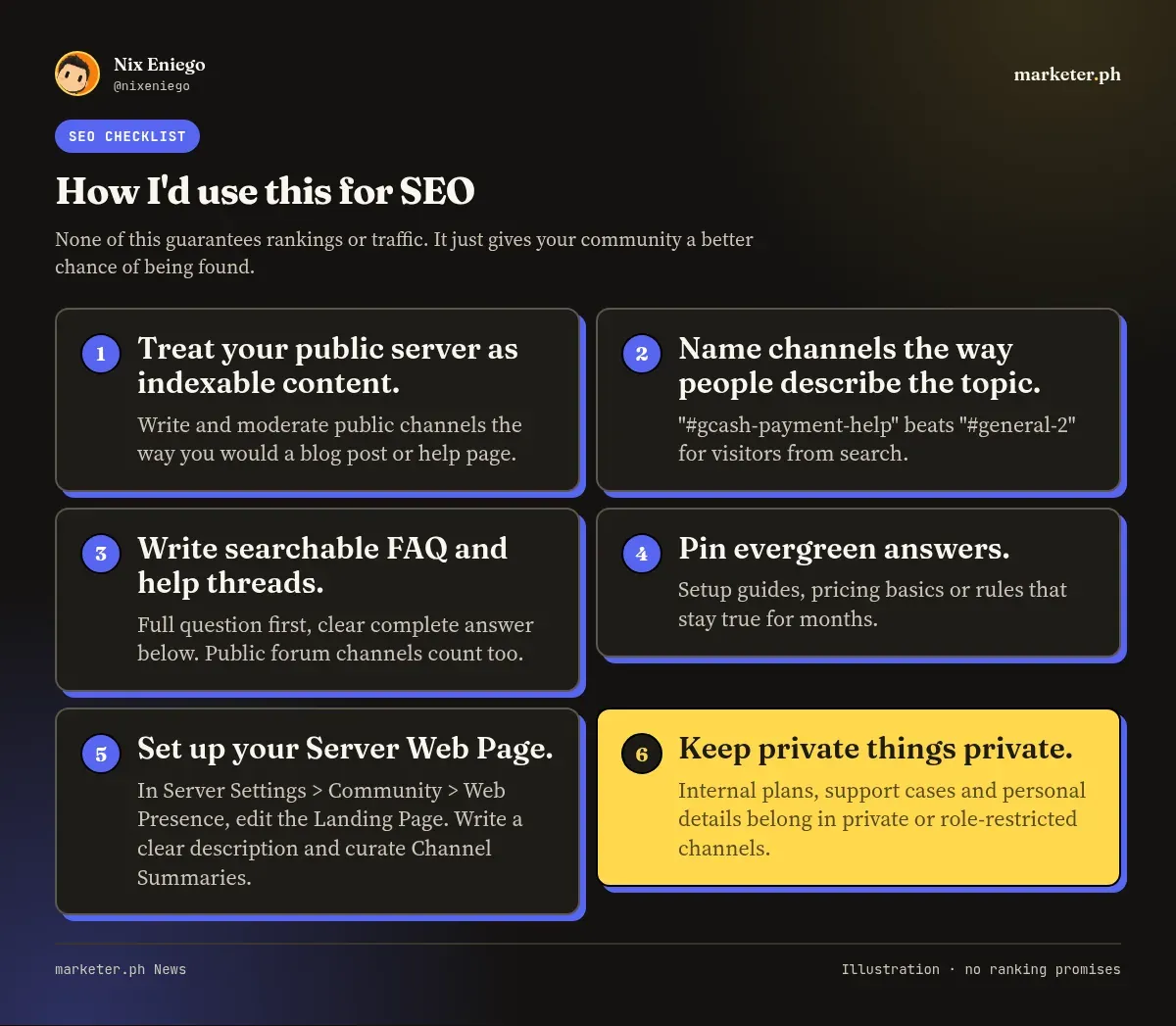
If you decide to stay on the web, here’s how I would approach it. None of this guarantees rankings or traffic. It just gives your community a better chance of being found.
- Treat your public server as indexable content. From mid-December, messages in the public channels you include can show up in web search. Write and moderate those channels the way you would a blog post or help page.
- Name channels the way people describe the topic. “#gcash-payment-help” beats “#general-2”. It helps visitors from search know they’re in the right place.
- Write searchable FAQ and help threads. Put the full question in the first message and a clear, complete answer below it. Clear question and answer pairs fit what Discord says it will surface, and public forum channels count too.
- Pin evergreen answers. Pin the replies that stay true for months, like setup guides, pricing basics or rules. It keeps them easy to find for people who join.
- Set up your Server Web Page. In Server Settings > Community > Web Presence, edit the Landing Page instead of leaving the default. Write a clear community description and curate its Channel Summaries.
- Keep private things private. Internal plans, member support cases and anything personal belong in private or role-restricted channels, which Discord says aren’t part of this.
What I’d do as a member
Check which of your servers are Discoverable. Open User Settings > Data and Privacy > Channel Messages and make a choice. Then look back at what you’ve posted in public channels and delete anything you wouldn’t want on Google, since turning the setting off won’t remove it.
The bigger picture
Community conversations used to be hidden from search. Some of them won’t be anymore.
Communities that organize their knowledge well could be found by new members through Google. Communities that ignore this could find old chats showing up where they didn’t expect.
You have until mid-December. I’d use that time well.
FAQ
Will my Discord messages show up on Google?
They can, if you posted them in a public channel of a Discoverable Server. From mid-December, answers members posted to questions in public channels can appear in web search in their own words, without usernames or avatars. Private channels, role-restricted channels, private servers, DMs and group DMs aren’t included, according to Discord.
How do I stop my Discord server from appearing on Google?
The update only covers Discoverable Servers, so if your server isn’t Discoverable, it doesn’t apply. If it is, the owner or someone with Administrator permission can open Server Settings > Community > Web Presence on desktop or in a browser and opt out or choose which channels take part. If you do nothing, your public channels are included by default.
How do I hide my own messages?
Go to User Settings > Data and Privacy > Channel Messages and turn it off. One setting covers all Discoverable Servers, but it only stops new messages from being included. Messages you sent while it was on can still appear, so delete any you want removed.
When does this start?
Server Web Pages and Channel Summaries start on November 16. From mid-December, Channel Messages can start appearing in web search. Discord says the rollout will be gradual.
Platform changes like this don’t wait for your brand to catch up. Get my newsletter and I’ll send you my take before they hit your feed.